Rabot 101 : Adding New Users
Last updated: April 22, 2026
This article provides a quick overview of how to add new users to the Rabot platform.
Important : You would need to be an Admin or Manager to add new users.
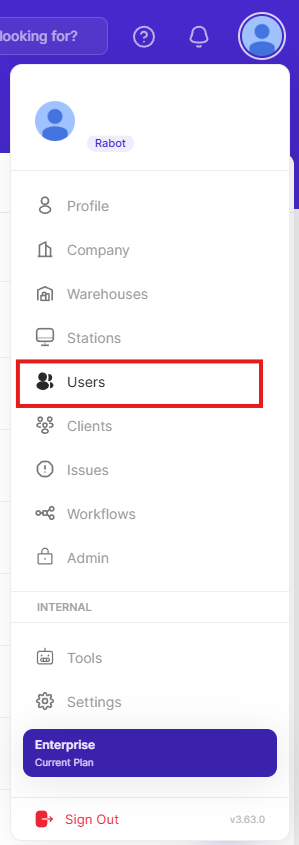
In the account drop down, select Users:
Press the add user button
Fill in the relevant fields
Important : For Sign-in Method, select Email/Password
Important : User roles should be set as viewers unless you want them to be capable of making changes.
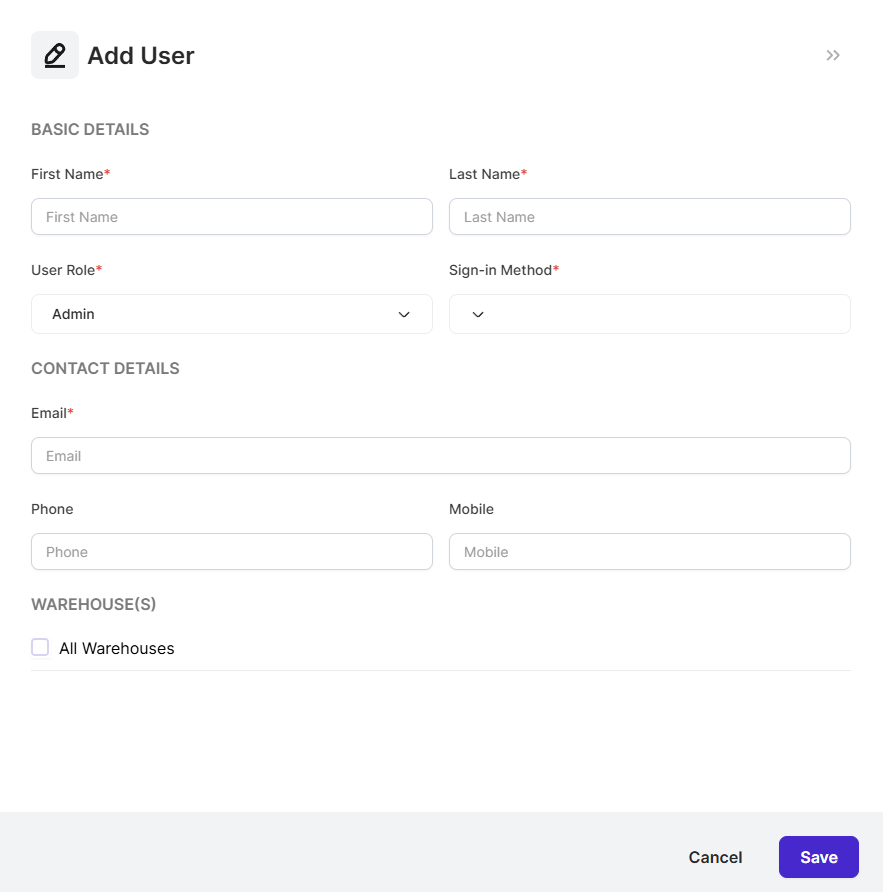
Click Save