Printer settings for Packiyo WMS
Last updated: April 6, 2026
To set up automatic printing within Pulse, follow these steps in Packiyo:
Navigate to the Settings icon and select Timezone & Printing.
Here is a snapshot of the printer settings: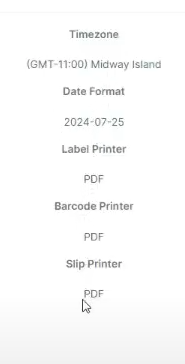
Make sure to set all printer settings to PDF.
Then, go to Pulse Settings and select Printers.
Now, assign the Label Printer to match the name of your specific printer.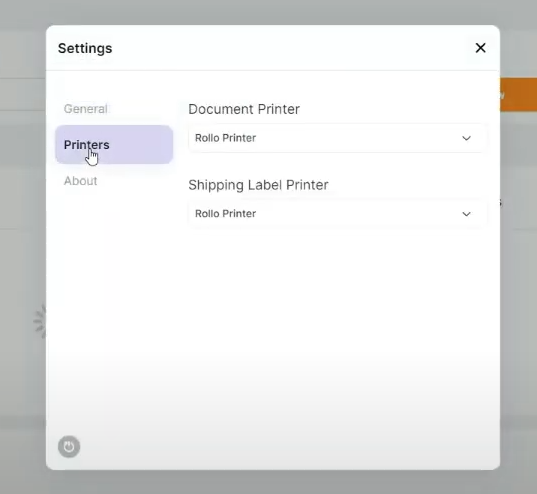
Let's get ready to Test and order!
Reach out to Rabot Support at support@rabot.us for additional support