Barcode Scanners Settings
Last updated: April 6, 2026
1. Zebra DS2278
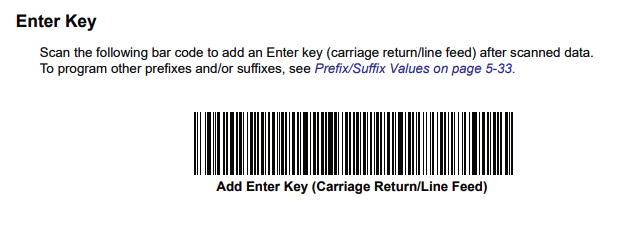
Below is the setting to enable Carriage Return on Zebra DS2278 Scanners
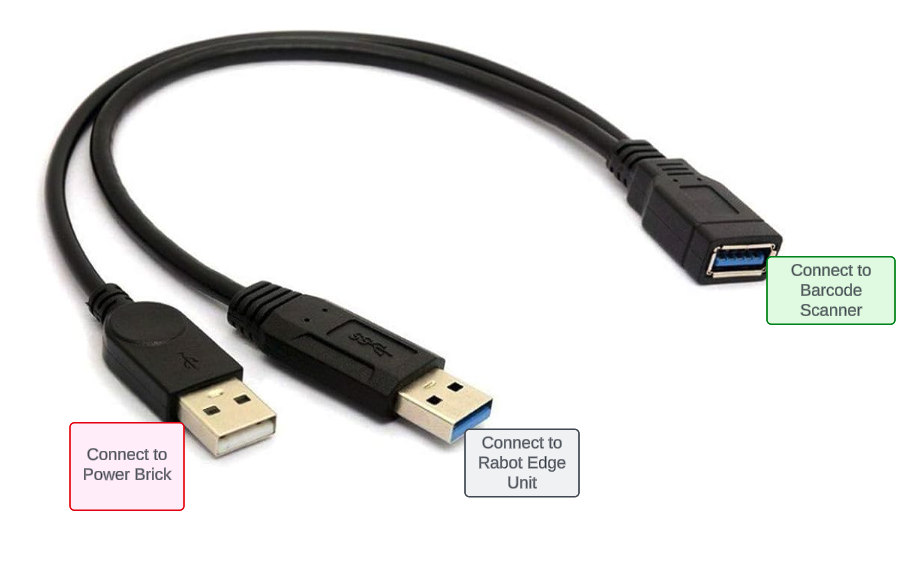
To support wireless barcode scanners we recommend using a y cable when using Zebra DS2278 scanners. One end of the cable goes to power and the other end goes to our splitter (see image below - lucid link)
2. Honeywell Scanners (Rabot Issued)
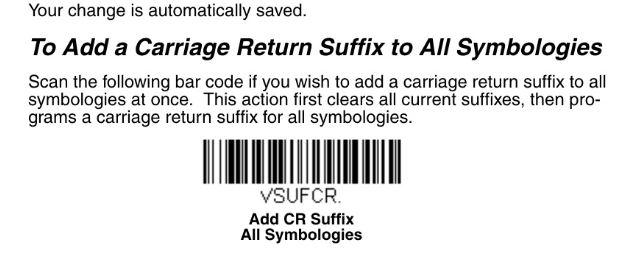
Below is the setting to enable Carriage Return on honeywell scanners
Notes
Barcode scanner that should NOT be used with the Rabot Pack System
Model: Tera 1800 | Reason: Delayed response